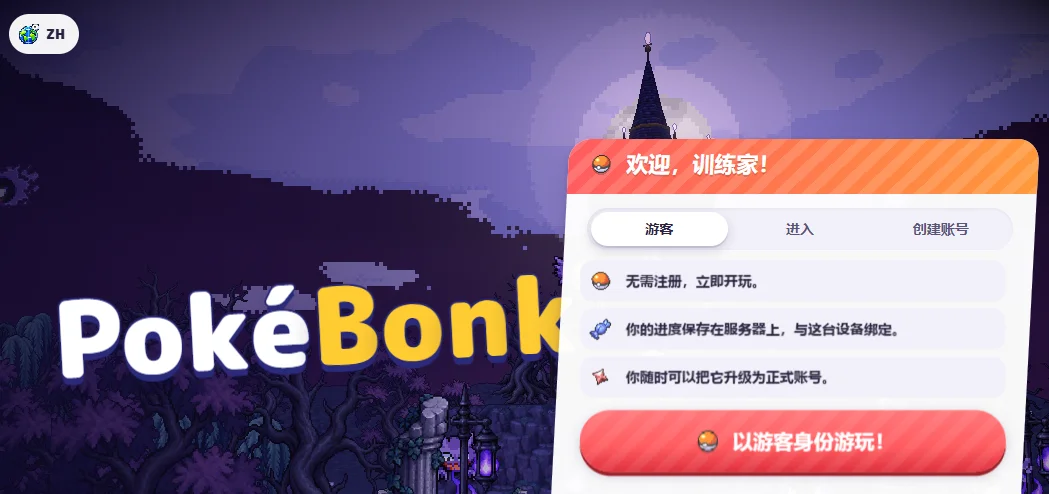
01 / HOW TO PLAY
Your first PokéBonk run, step by step
Enter as a guest, choose a partner, start Classic and understand your first upgrade. Keep this menu map beside the game.
Read guidePLAY / LEARN / EVOLVE
The game above, the guide beside you. Menu screenshots, practical walkthroughs, event notes and tools for your next run.
Choose “Play as a guest!” at the welcome screen, or use your game account.
Classic follows region objectives; Survival is endless. Confirm an available League member.
Click the game, move with WASD, collect EXP safely and read each move or vitamin offer.
Check your HUD and League challenge. In the event tower, clear three waves before climbing.
POKÉBONK WIKI / HOW TO PLAY
From your first menu to the next challenge. Each guide includes dated context and sources; current game prompts take priority.
01 / HOW TO PLAY
Enter as a guest, choose a partner, start Classic and understand your first upgrade. Keep this menu map beside the game.
Read guide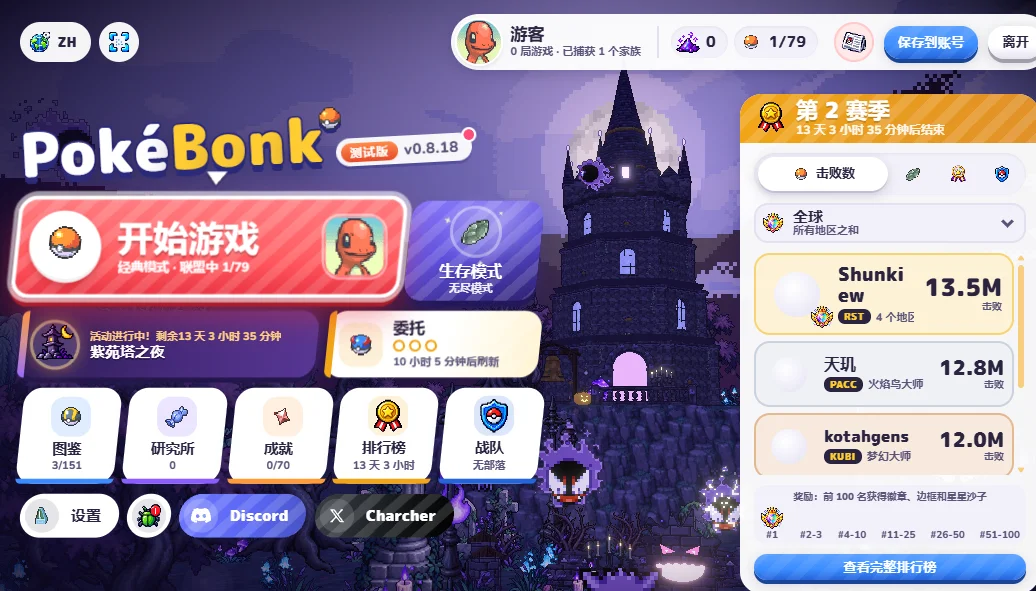
02 / MODES & PROGRESSION
Know which kind of run you started, where to look for the next objective, and how League progress differs from an in-run level.
Read guide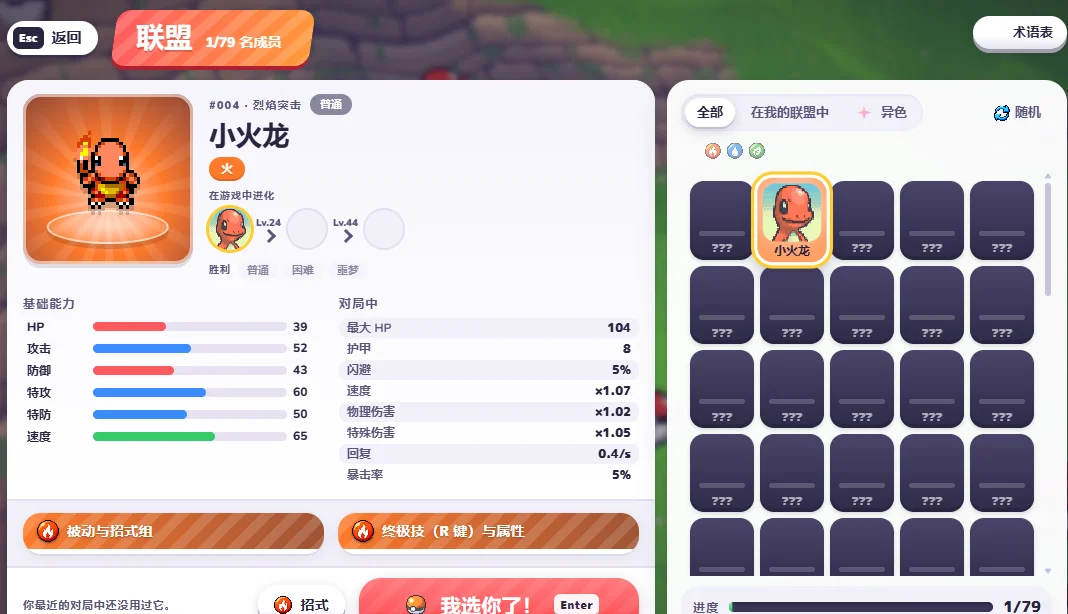
03 / LEAGUE & EVOLUTION
Read the actual League panel: Charmander’s in-run milestones differ from the familiar main-series evolution levels.
Read guide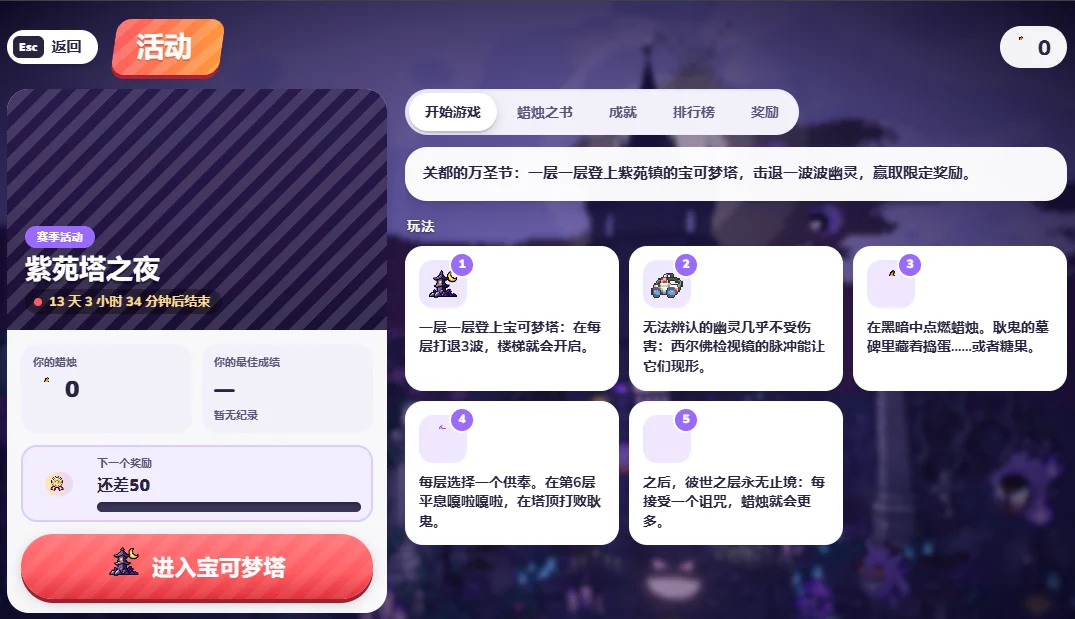
04 / SEASONAL EVENT
Follow the recorded event instructions: three waves open the stairs, a Silph Scope reveals ghosts, and curses change the climb.
Read guide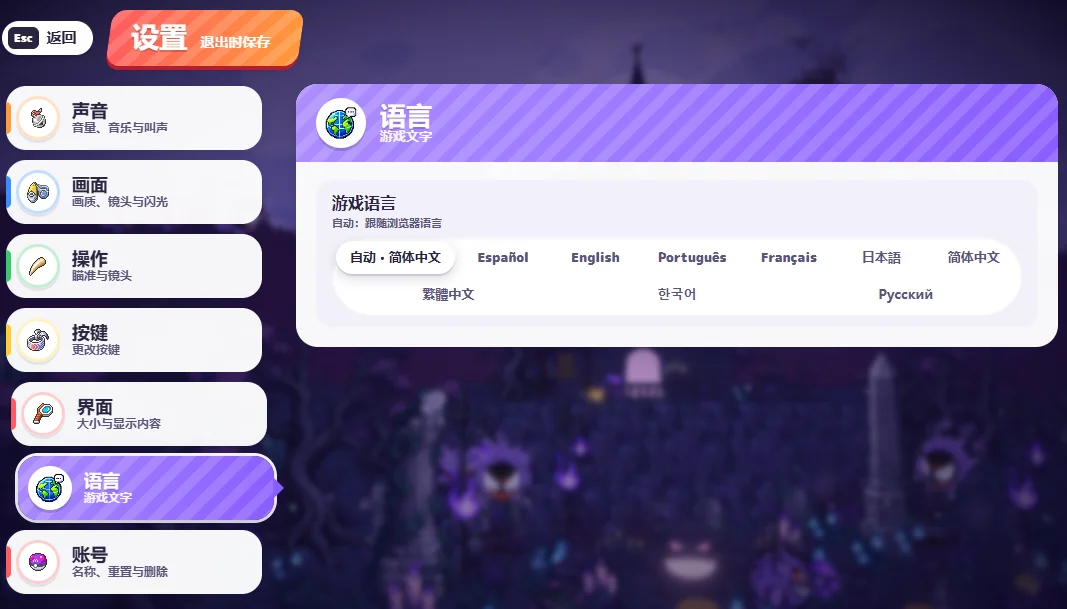
05 / CONTROLS & LANGUAGE
Find the settings you need, change the game language separately from this guide, and get keyboard focus inside the player.
Read guide06 / SAVES & PLAYER HELP
Protect guest progress, identify the browser game, and check the right session before troubleshooting a missing save.
Read guide07 / BUILDS & LAB
Separate in-run choices from permanent Lab upgrades, compare creator examples and keep a repeatable record of your attempts.
Read guideINSIDE THE GAME
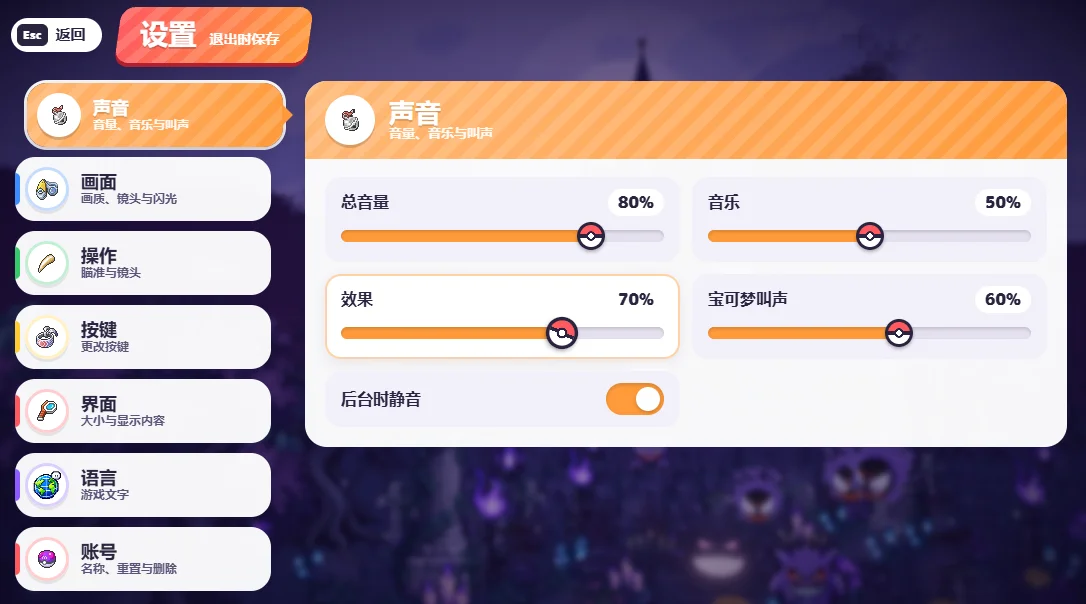
Player-supplied captures, reviewed 22 Oct 2026; v0.8.18 is visible in the main menu. Open an image to enlarge it. Event timers and personal progress are snapshots.
WATCH A RUN
Beginner help, Lab suggestions, seasonal events and map walkthroughs. Creator strategies are examples and may change with patches. Video metadata checked 22 Oct 2026.
Español · 21:45 / Son Titan Games
SMALL TOOLS / REAL MILESTONES
Manual reminders based on the supplied screens. These tools do not read or modify the game. Checklist ticks last for this page session.
01 / CHARMANDER EVOLUTION
23 levels to the Lv.24 milestone
Source & scope ↗02 / LAVENDER TOWER
0 / 6 checked
Event guide & availability ↗A SMALL TOOL FOR YOUR NEXT RUN
Save build ideas and run observations on this device, ready to compare. No login needed.
Loading notes…
PLAYER QUESTIONS
PokéBonk is a free 3D Pokémon survivors-style browser game inspired by Megabonk. Choose a partner, collect experience, upgrade moves and explore different modes.
You can play above without a download or APK. Android users can try the browser version; phone performance and touch support vary.
The supplied screens establish clans and leaderboards, not a shared arena. Features can change; check the current game menu instead of treating video titles as confirmation.
The guest screen describes server progress tied to the device. Access also depends on browser sessions and inactivity limits. Use in-game account conversion before relying on another device or clearing data.
We have seven sourced guides plus links to two community wiki resources below. We do not invent rankings without sufficient playtests. Check current evolution, move and Lab values inside the game.
Allow the game to load, click its picture for keyboard focus, then check the in-game bindings. If it remains blank, check the connection, close heavy tabs and try lower graphics settings. Protect your guest session before clearing browser data.
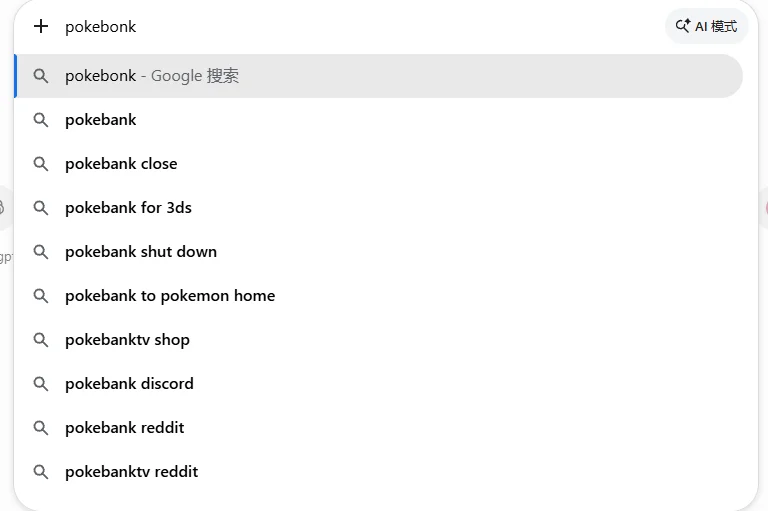
Autocomplete can drift to similarly named projects. Pokémon Bank, 3DS and HOME transfer services are unrelated; PokeSurvivor has separate rules. Verify that a source covers this 3D PokéBonk game.
Our guides synthesize screenshots and public references. Community sites have their own versions and test scopes. Explore the guide references below.